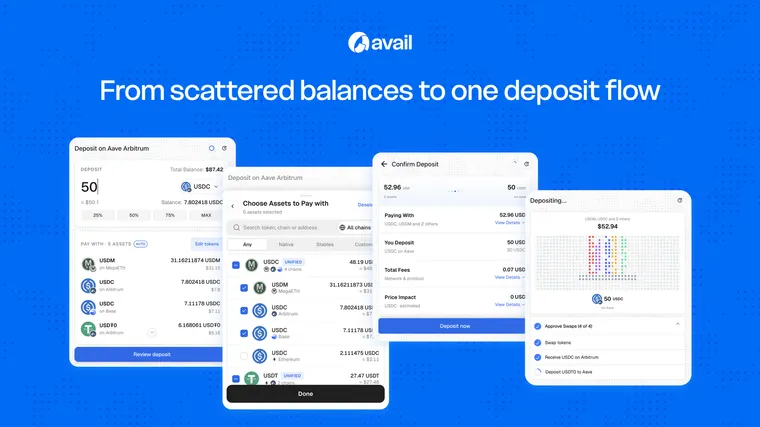




The four common friction points
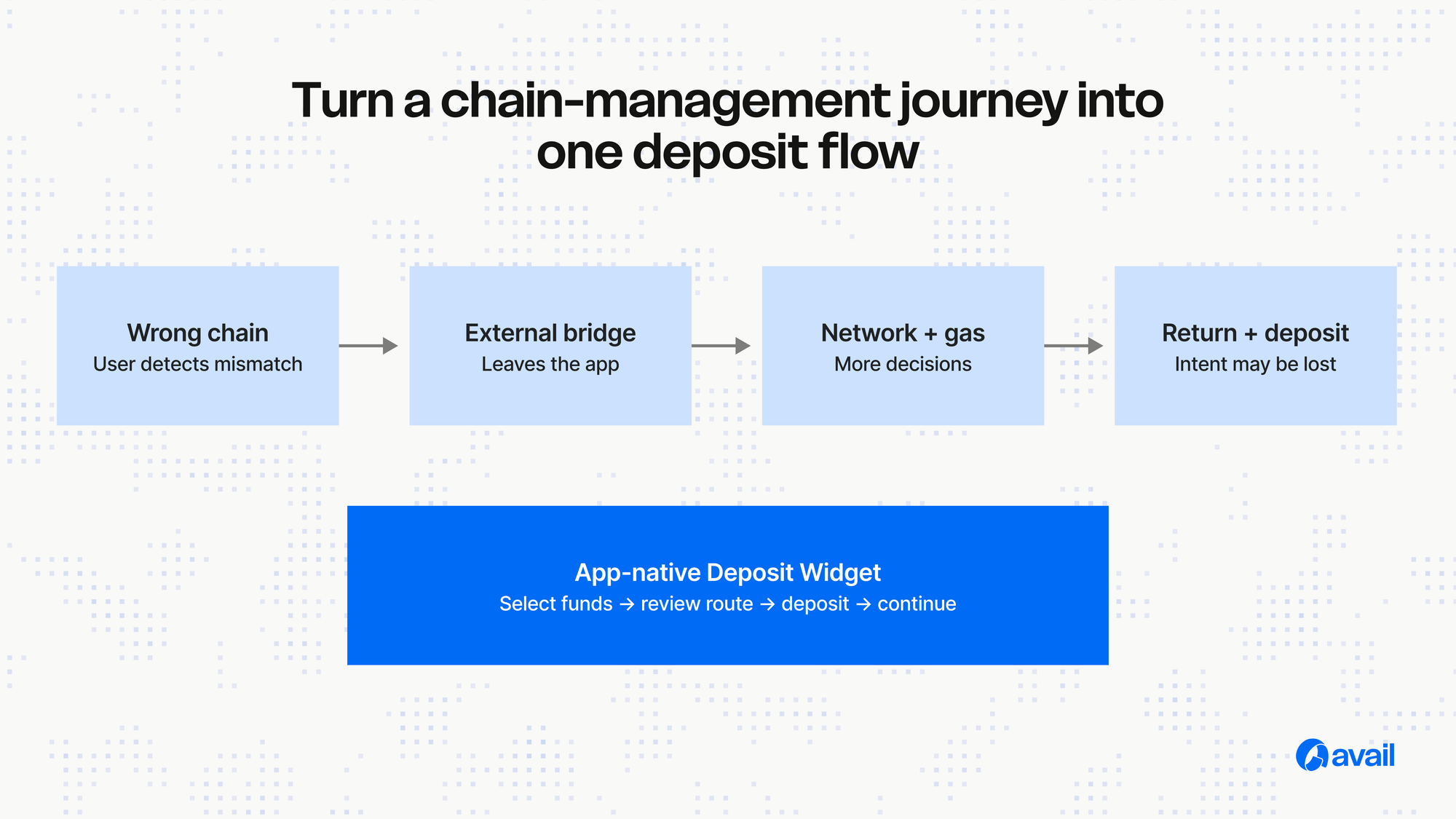
Wrong-chain funds create uncertainty. External bridges create a context switch. Network switching adds wallet decisions. Gas requirements can block the final transaction even after the user has moved value. None of these steps advances the user’s original goal.
Design from the destination backwards
Start with the amount and asset the app needs the user to receive. Then surface eligible ways to fund that outcome. This changes the interface from “choose a bridge route” to “choose how you want to fund this action.”
Keep the deposit inside the app
An embedded Deposit Widget preserves context. The app controls the destination, while the user selects an eligible source and confirms the route. Gas handling and necessary swaps are coordinated within the supported flow.
Measure the connected journey
Track deposit opened, source selected, quote returned, confirmation started, transaction submitted and destination action completed. This makes it easier to find whether the failure is eligibility, quoting, confirmation or continuation.
The practical takeaway
The goal is not to hide every technical detail. It is to ask the user only for decisions that matter to their outcome. Cross-chain infrastructure should expand access to the product, not become a prerequisite course before using it.