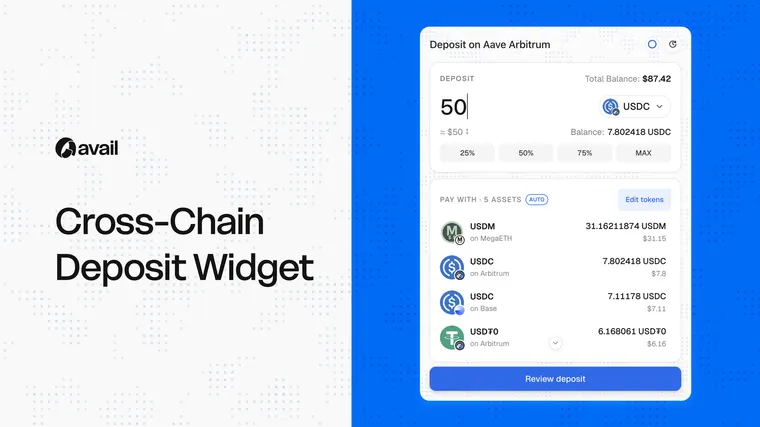




What is a cross-chain deposit widget?
A cross-chain deposit widget is an embedded interface that lets users fund an app from assets held on other supported chains. The user begins with the outcome they want inside the app. The cross-chain transfer and any required swap become part of the funding route, rather than a separate product journey.
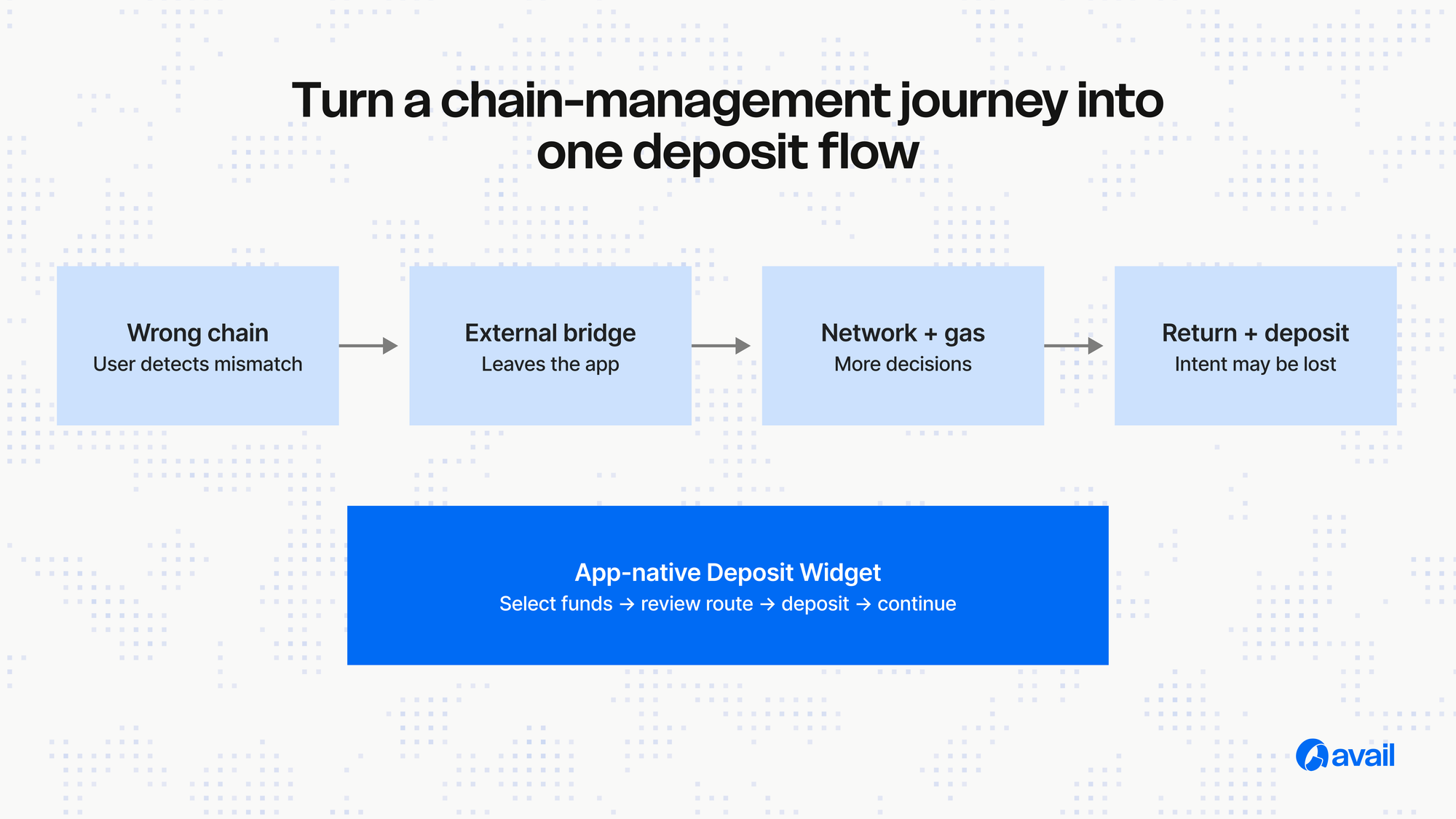
How Avail Deposits changes the flow
With Avail Deposits, the app defines the destination chain and asset. The user selects an eligible balance, reviews the route and confirms. Avail coordinates the required cross-chain actions and gas handling for the supported route so the user can continue to the in-app action.
One integration, broader reach
Apps do not have to deploy a full product experience on every source chain simply to accept users from those ecosystems. The app can remain on its chosen destination while the Deposit Widget or SDK gives eligible users a way to bring funds from supported chains.
Multi-source deposits
Where supported, a user can select eligible balances from more than one source and combine them toward one destination amount. This helps users put fragmented balances to work without manually consolidating each balance first.
Start building
Use the Widget when speed and a pre-built interface are the priority. Use the SDK when the app needs deeper control. Explore the Configurator to preview the experience, then use the current documentation as the source of truth for installation and route support.